 Centinel Analytica
Drupal 8+
Add Centinel Analytica to your Drupal 8+ website.
Overview
This guide covers installing, configuring, and verifying Centinel Analytica in Drupal 8+. You'll upload a .TAR.GZ module, enter your keys, choose what to protect (front-end, REST API), and create a block page.
Get your keys first
Go to the Dashboard and copy your Site Key and Secret Key.
Prerequisites
- Drupal 8 or higher
- Administrator access
- Ability to upload and configure modules
Install
Download Drupal 8+ Module. Keep the file compressed—don't decompress it.
On Drupal 10.4 and later, and on Drupal 11, core no longer offers tarball installation. Unpack
the archive into modules/custom/centinel_analytica, then enable it:
drush en centinel_analytica -yOn Drupal 8 and 9 you can still use the admin UI:
- Log in as administrator.
- Go to Extend in the main menu.
- Click Install new module.
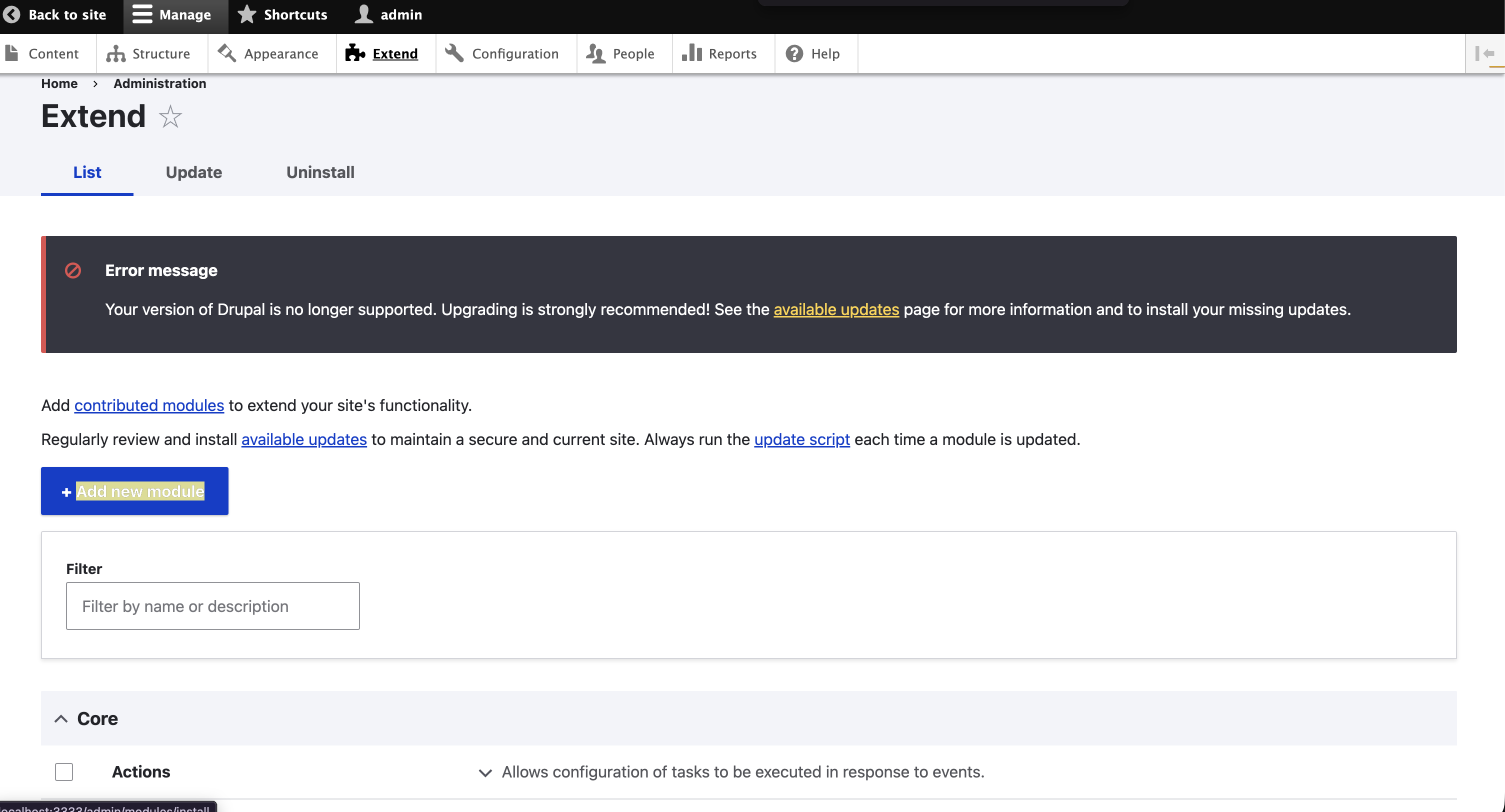
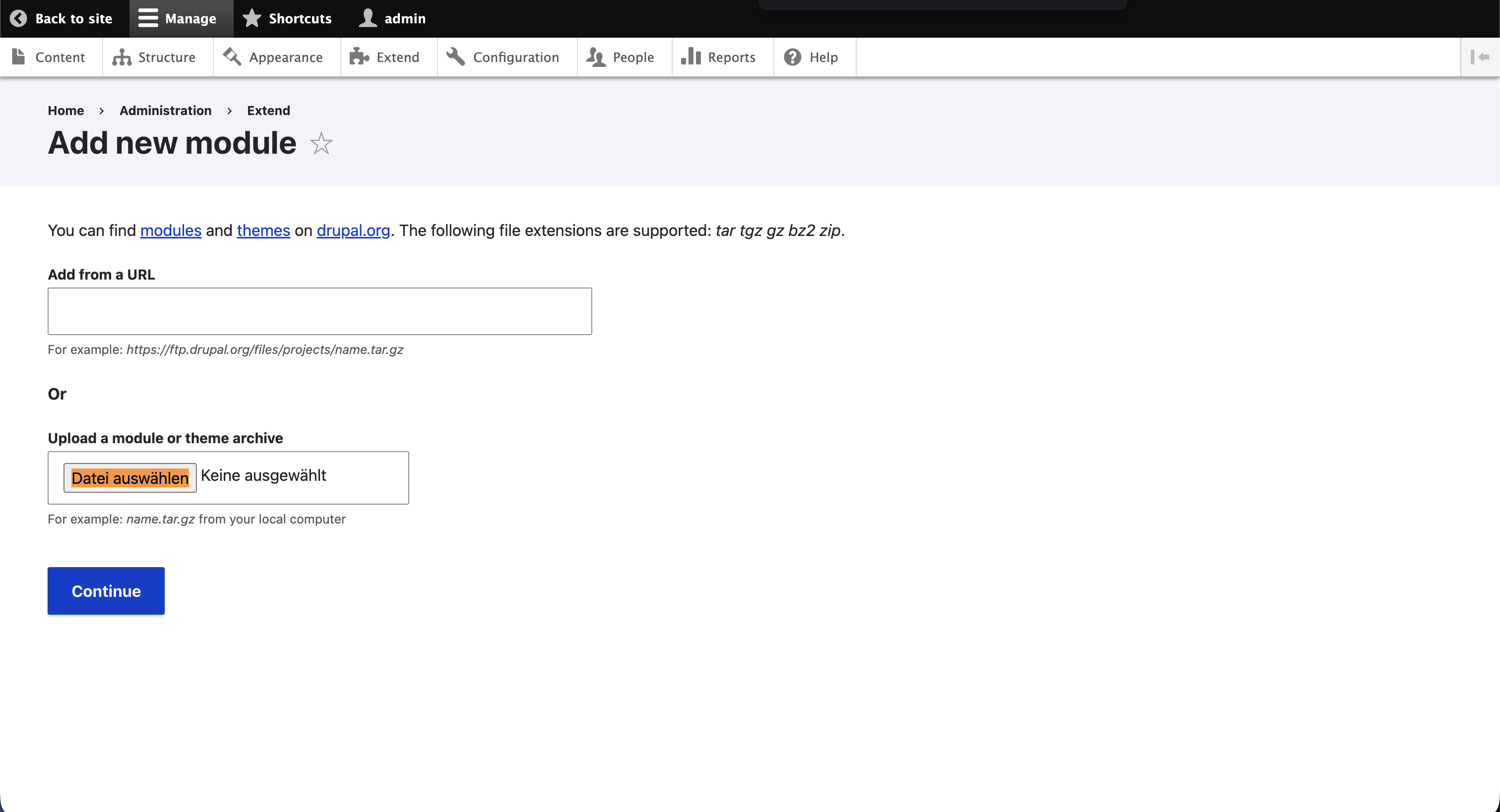
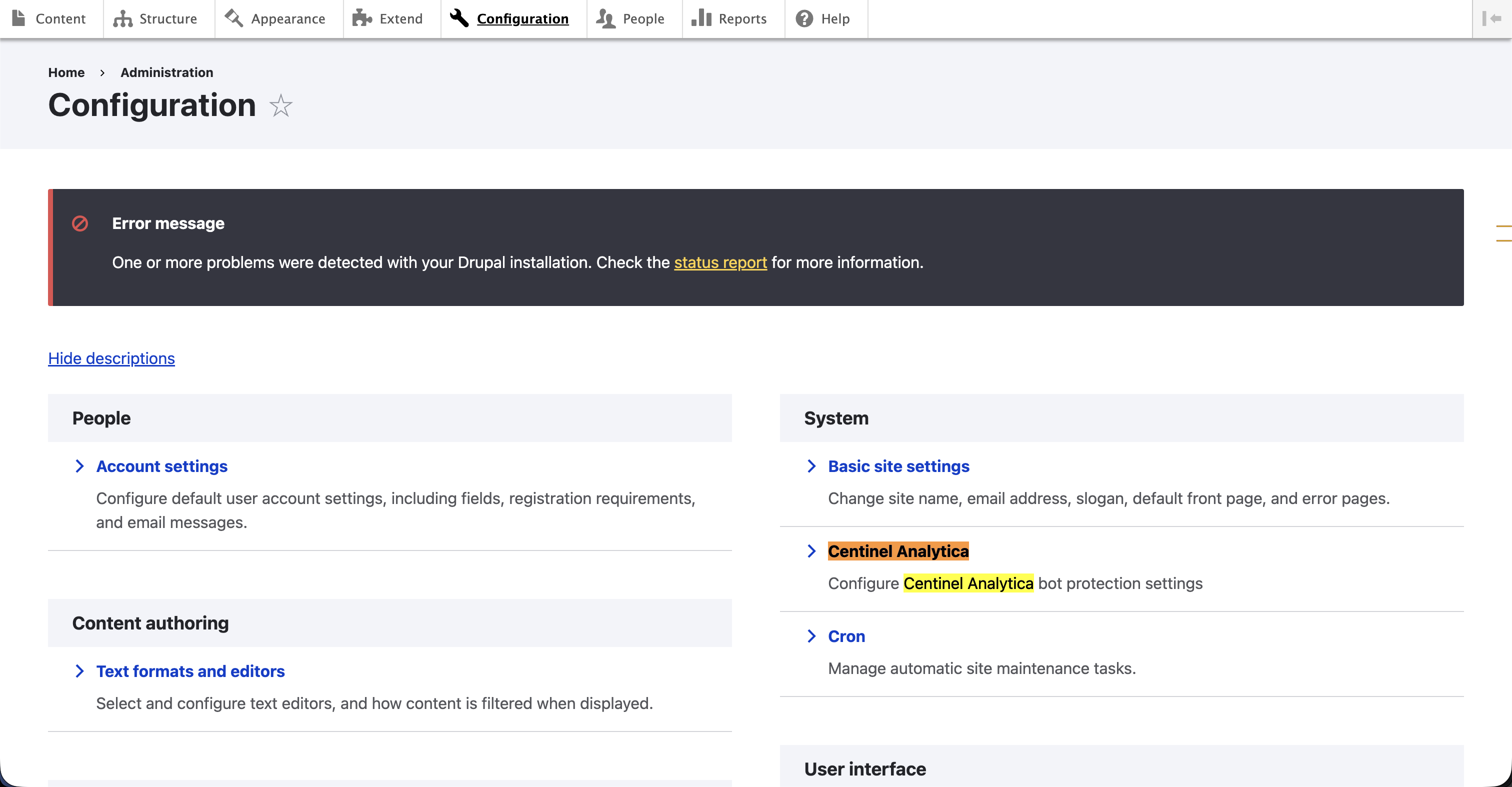
- Once the module is enabled, go to Configuration → System → Centinel Analytica (
/admin/config/security/centinel-analytica). Theadminister centinel analyticapermission is required, so grant it under People → Permissions if the page is not visible.
- Enter your API keys from the Dashboard.
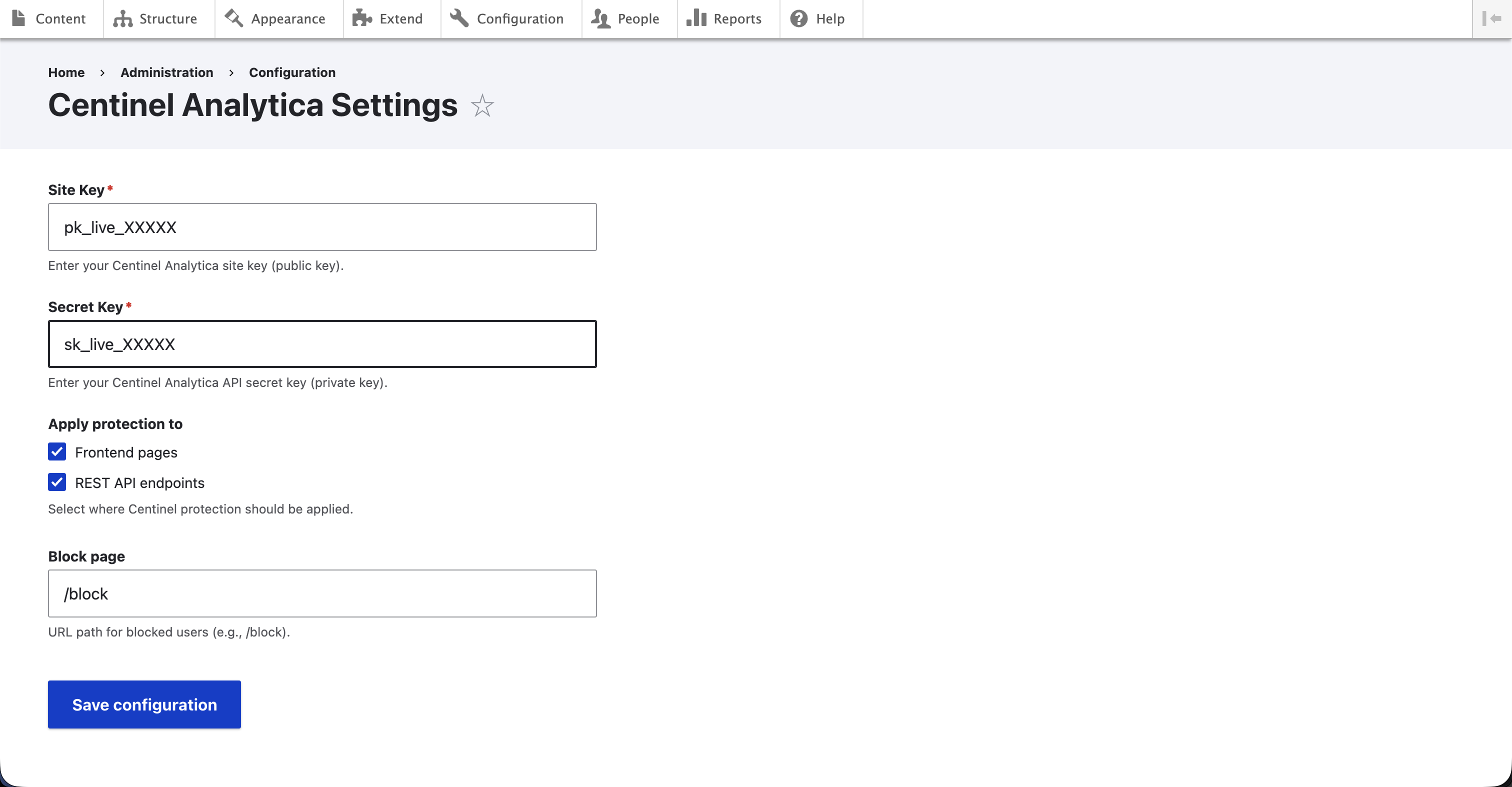
- Site Key – paste from your dashboard. Required.
- Secret Key – paste from your dashboard. Required; leave it empty and protection is disabled.
- Apply protection to – check the areas to protect:
- Frontend pages – public pages.
- REST API endpoints – paths under
/jsonapior/api, and requests sent with a JSON content type.
- Block page – where blocked visitors go (default:
/block). - Enable debug logging – logs each validation request and response to the
centinel_analyticachannel. - Excluded paths – one glob per line, matched case-insensitively. Ships with 13 static-asset patterns (
*.css,*.js,*.png,/sites/default/files/*, and similar).
Click Save configuration.
Requests under /admin and the block page itself are always skipped.
Create the block page
A block decision with no page from the validator redirects to your block page. If that path does not exist, blocked visitors land on a Drupal 404. Create it under Content → Add content → Basic page with the URL alias you configured.
The module does not inject the browser script
Despite requiring a site key, this module adds no script tag. To collect browser signals, add the script tag to your theme's html.html.twig yourself. Without it, detection runs on server-side signals only.
To confirm it works, tick Enable debug logging, load a protected page, then read
Reports → Recent log messages and filter on centinel_analytica. Validator failures appear
there as warnings, and the module fails open when the validator is unreachable. The validator call
times out after 300ms.
Cache
If needed, clear the cache at Configuration → Development → Performance.
In Centinel Analytica → Analytics you should see traffic appearing as you browse your site.
Configure
All settings live on the module's settings page at
/admin/config/security/centinel-analytica, which requires the
administer centinel analytica permission.
| Setting | Notes |
|---|---|
| Site Key | Stored but unused: this module injects no script. |
| Secret Key | Required. Empty means protection is off. |
| Apply protection to | Frontend pages, REST API endpoints, or both. |
| Block page | Must exist as a node, or blocked visitors see a 404. |
| Enable debug logging | Logs each validation to the centinel_analytica channel. |
| Excluded paths | One glob per line, case-insensitive. 13 static-asset defaults. |
Requests under /admin and the block page are always skipped. The validator call times out after
300ms and fails open.
Verify
Tick Enable debug logging, load a protected page, then read Reports → Recent log messages
and filter on centinel_analytica. You should see the validation request and its response. Validator
failures appear as warnings on the same channel.
Changelog
- v1.2 — Response header passthrough
- v1.1 — Exclude paths option
- v1.0 — Initial release