 Centinel Analytica
Drupal 7
Add Centinel Analytica to your Drupal 7 website.
Overview
This guide covers installing, configuring, and verifying Centinel Analytica in Drupal 7. You'll upload a .TAR.GZ module, enter your keys, choose what to protect (front-end, API), and create a block page.
Get your keys first
Go to the Dashboard and copy your Site Key and Secret Key.
Prerequisites
- Drupal 7
- Administrator access
- Ability to upload and configure modules
Install
Download Drupal 7 Module. Keep the file compressed—don't decompress it.
- Log in as administrator.
- Go to Modules in the main menu.
- Click Install new module.
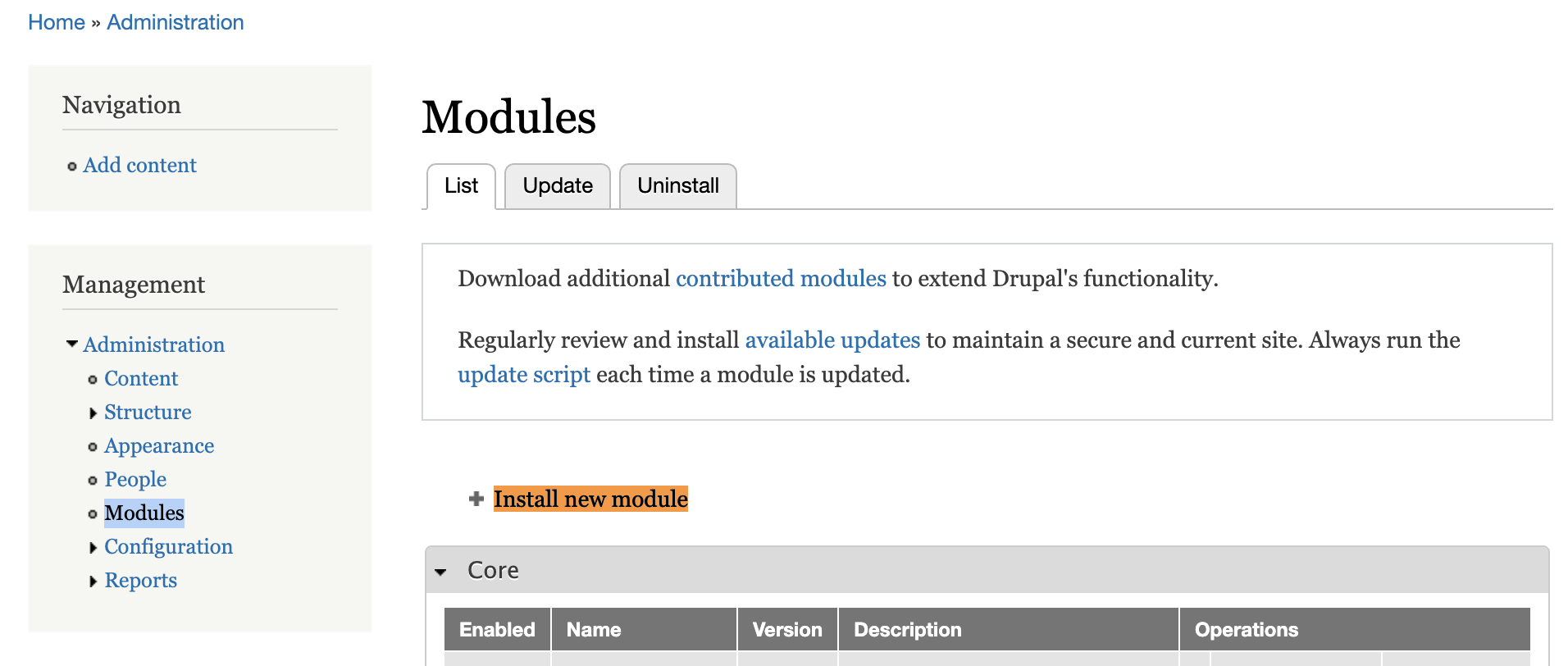
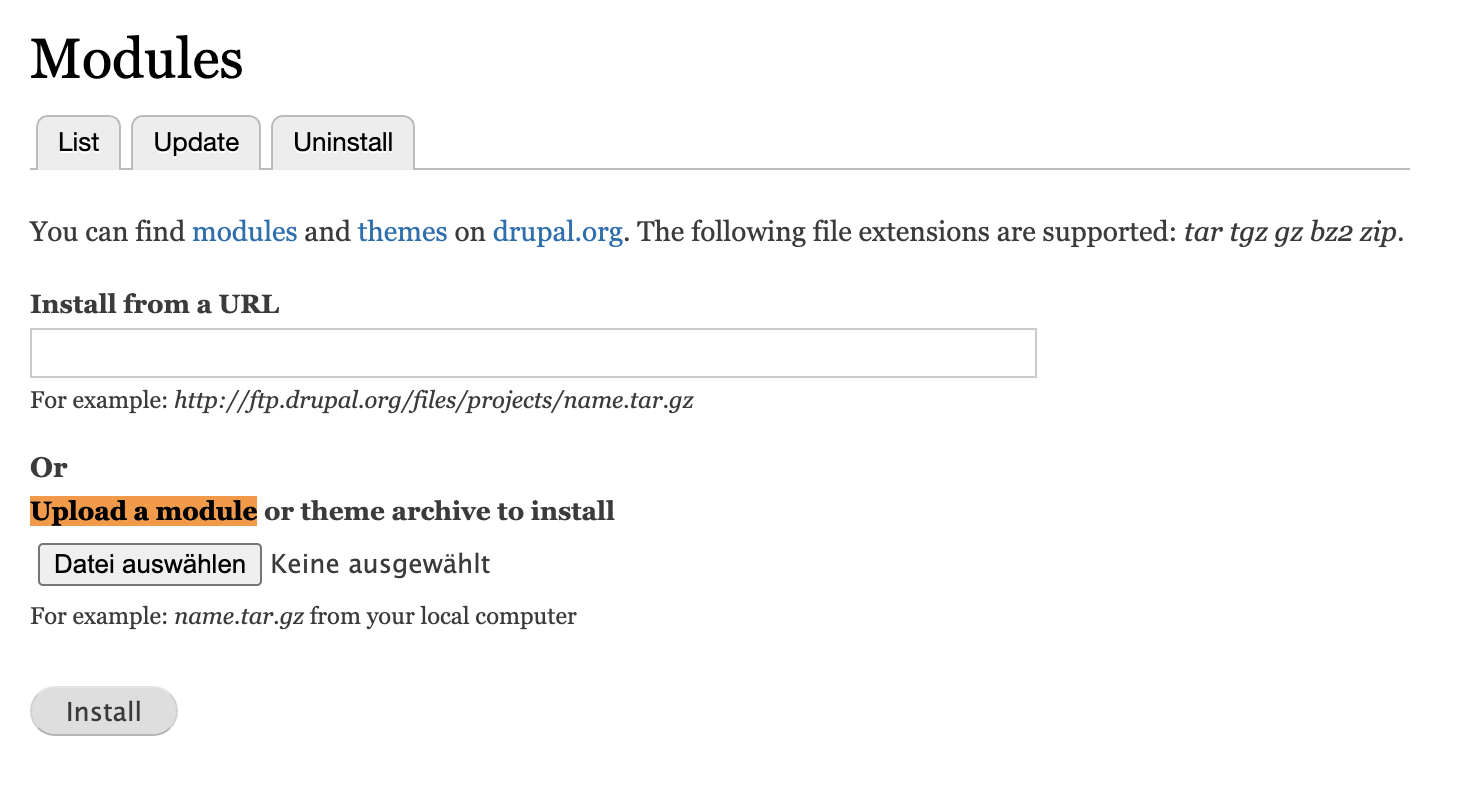
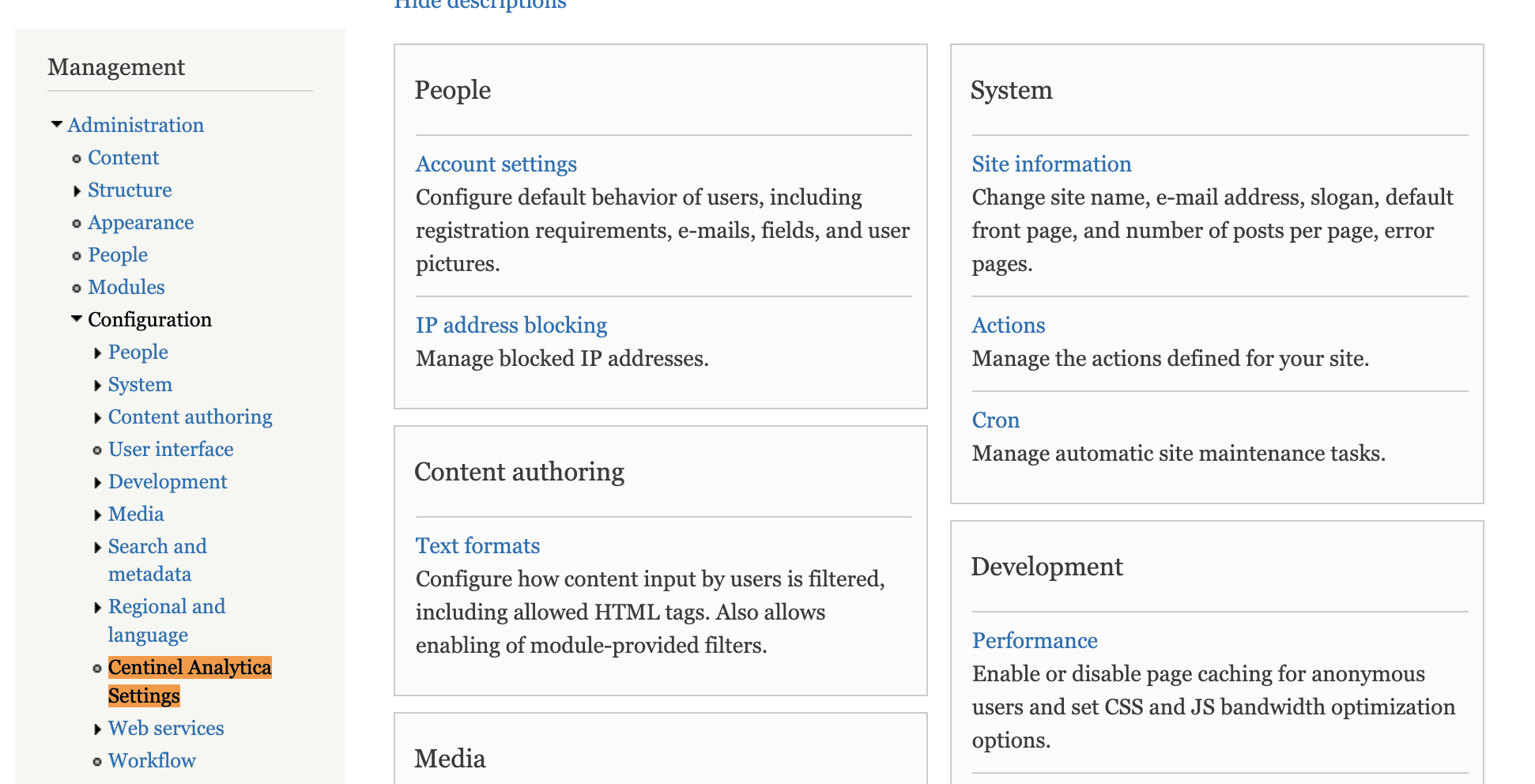
- Once installation completes, go to Configuration → Security → Centinel Analytica Settings (
/admin/config/security/centinel-analytica). Theadminister centinel analyticapermission is required, so grant it at/admin/people/permissionsif the page is not visible.
- Enter your API keys from the Dashboard.
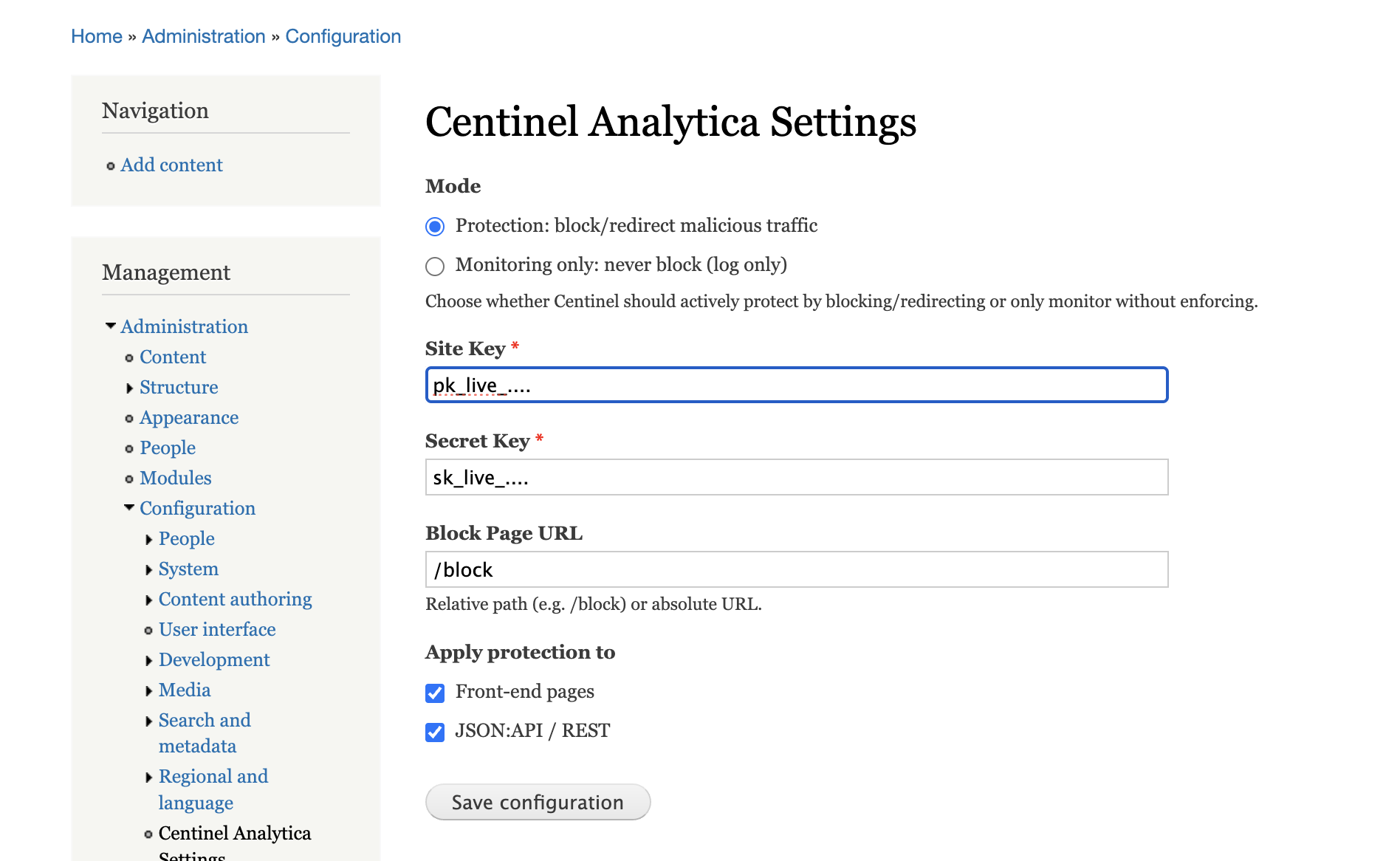
- Site Key – paste from your dashboard. The module injects the browser script when this is set.
- Secret Key – paste from your dashboard. Leave it empty and protection is disabled.
- Block Page URL – where users go when blocked (default:
/block). - Apply protection to – check Front-end pages.
- Excluded paths – one glob per line, matched case-insensitively. Ships with 13 static-asset patterns.
Click Save Changes.
Only front-end protection is enforced on Drupal 7
The JSON:API / REST checkbox is a placeholder for forward compatibility. Drupal 7 has no API-request detection, and the module returns early unless Front-end pages is checked. Do not rely on it to protect an API.
Requests under /admin and the block page itself are always skipped.
Create the block page
A block decision with no page from the validator redirects to your block page. If that path does not exist, blocked visitors land on a Drupal 404.
Drupal 7 does not pass validator response headers through, and it ignores the validator's
status_code: a redirect is always delivered as a 403. To confirm the module is live, view source
for id="ca-collector" and check Reports → Recent log messages for centinel_analytica
entries.
Cache
If needed, clear the cache at https://yoursite.com/admin/config/development/performance.
In Centinel Analytica → Analytics you should see traffic appearing as you browse your site.
Configure
All settings live on the module's settings page at
/admin/config/security/centinel-analytica.
| Setting | Notes |
|---|---|
| Site Key | Enables the collector script injection. |
| Secret Key | Required. Empty means protection is off. |
| Block Page URL | Must exist as a node, or blocked visitors see a 404. |
| Apply protection to | Only Front-end pages is enforced on Drupal 7. |
| Excluded paths | One glob per line, case-insensitive. |
The module hooks hook_init, so it runs on every page request. Requests under /admin and the
block page are always skipped, and the validator call fails open.
Verify
View the page source of a public page and look for id="ca-collector", which confirms the script
injection is active. Then check Reports → Recent log messages and filter on
centinel_analytica: validator errors appear there as warnings.
Changelog
- v1.2 — Drupal middleware improvements
- v1.1 — Exclude paths option
- v1.0 — Initial release